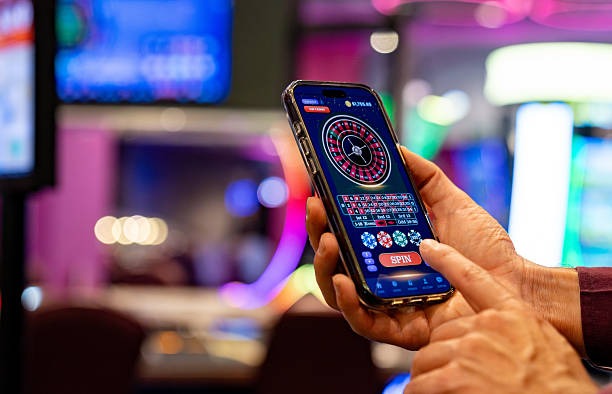
What You Get with bigo Live Dealer
Our live dealer tables at bigo stream from professional studios with multiple camera angles, professional dealers, and certified gaming equipment. You see the dealer face-on, the table action, and real-time card or wheel results. Every bet you place appears instantly in the dealer's betting interface. Once the round closes, settlement is automatic: you either win your payout or your stake is retained, with your account balance updating in seconds.
We offer classic table games: blackjack (where the dealer plays to specific rules), European and American roulette (with live wheel spins), baccarat (following strict dealing procedures), and Dragon Tiger (a simplified Asian card game). Each title has its own studio stream, so you can switch between tables without waiting for a new round to begin. Peak hours see multiple concurrent tables for each game, so you always find a seat.

Mobile Access: Android APK and iOS Browser
For Android users, download our APK installer from the official bigo site. Installation takes under two minutes; once installed, the app connects to our live dealer backend and authenticates using your account credentials. The app handles video streaming natively, so you get smooth playback even on mid-range devices.
For iOS users, there's no app download needed. Open Safari, navigate to our site, and you're in. Our responsive design adapts to iPhone or iPad screens, and the mobile Safari browser decodes our video stream just as efficiently as a native app. We use progressive web techniques to cache assets, so future visits load faster.
First-time login requires email verification. We send a confirmation link; click it to activate your account. After that, your login persists across sessions, and you can place bets immediately. We recommend enabling push notifications so you receive alerts about new live tables opening or your withdrawals being processed.
Game Rules and Table Limits
Each live dealer game follows strict, internationally recognized rules. In blackjack, the dealer hits on 16 and stands on 17. In roulette, payouts follow the traditional wheel layout: single numbers pay 35 to 1, red/black pay 1 to 1, and so on. In baccarat, you bet on banker, player, or tie; the dealer follows a strict card-drawing algorithm. Dragon Tiger is simpler: the higher card wins, and ties pay 8 to 1.
Betting limits vary by table. Most blackjack and roulette tables have minimum bets starting at modest amounts and maxima in the mid-range, letting casual and experienced players find a comfortable table. You can see the exact limits posted on each table before you join. Once seated, you have a countdown (usually 20–30 seconds) to place your bets before the dealer closes the betting window.
We publish the full ruleset for each game in the "Help" or "Rules" section within the app. This transparency ensures you understand payout structures, side bets (if available), and settlement procedures before you place your first bet.

Advantages
- Real dealers and genuine equipment ensure game fairness
- Multi-angle camera views reduce doubts about outcome legitimacy
- Instant settlement means no waiting for payout processing
- Multiple tables running simultaneously reduce queue times
Limitations
- High data usage requires stable, high-speed connection
- Network latency can cause slight delays in bet confirmation
- Peak-hour tables may have longer wait queues
Placing and Settling Bets
When you join a live dealer table, you see your account balance displayed in the top-right corner of the screen. The dealer opens betting, and you have a few seconds to tap or click on your chosen bet amount and betting area. For roulette, you select a chip value and tap the numbers or sectors on the table. For blackjack, you choose your bet amount and confirm. For baccarat, you select banker, player, or tie.
Once betting closes, the dealer spins the wheel, deals the cards, or draws according to the game rules. You watch the action in real time on your screen. Settlement happens instantly: your payout (or loss) updates your balance the moment the result is final. Your bet history is logged automatically, visible in your account under "Transaction History" or "Bet Slip."
If your connection drops mid-round, don't worry. Your bets remain active on the server, and the round settles normally. When you reconnect, your updated balance reflects the outcome. We never lose your bet data because everything is encrypted and stored server-side.
Deposits and Withdrawals
Funding your bigo live dealer account is straightforward. Tap "Deposit" in your account menu, and we show our complete list of payment partners: DANA, e-wallet, mobile banking, local payment, online payment, e-wallet, and direct bank transfers via mobile banking, local payment, online payment, and e-wallet. Select your method, enter your amount, and follow the payment gateway. Deposits credit your account within minutes, so you can join a live table immediately.
Withdrawing your winnings follows the same path. Go to "Cashout," choose your destination payment method (funds return to the same channel you deposited from), enter the amount, and submit. Our team verifies larger withdrawals to prevent fraud and confirm account ownership. Most cashout requests process within standard business windows; timing depends on your payment provider.
No Hidden Withdrawal Fees
We at bigo do not charge withdrawal fees. Some payment partners may apply their own small processing fees, but we always show the exact amount you'll receive before you confirm the cashout.
Account Security and Game Rules
Your live dealer account holds real funds, so we protect it with industry-standard encryption and two-factor authentication. After your first login, we recommend enabling 2FA via SMS or email: this adds a security layer so that even if someone obtains your password, they cannot access your account without your phone or email.
On Android, enable biometric login (fingerprint or face recognition) in your app settings. This method is faster than typing your password each time and adds extra security. On iOS Safari, you can save your login in iCloud Keychain for convenience on that specific device.
We encourage you to treat live dealer tables as entertainment with clear spending limits. Set a personal budget before you begin, track your session duration, and take regular breaks to maintain perspective. Our platform allows you to monitor your total wagers and payouts in real time. If you ever feel that your play is becoming excessive, reach out to our support team — we provide resources to help you regain control.
Services on bigo are available only where local law permits. You are responsible for verifying that access and use comply with your jurisdiction's regulations. During major holidays like Idul Fitri or Idul Adha, our live dealer tables may operate on adjusted schedules, and we notify you in advance.
Connection and Performance Tips
For the smoothest live dealer experience, use a stable WiFi or 4G connection. If you notice buffering or lag:
- Lower the video quality in settings (streams at lower resolution use less bandwidth)
- Close other apps running in the background
- Move closer to your WiFi router or switch to a different network if available
- Clear your app cache (Android) or browser cache (iOS Safari)
- Restart your device if stuttering persists
A typical one-hour live dealer session uses 300–500 MB of data. If you're concerned about exceeding your mobile plan, check your remaining allowance before you start, or switch to WiFi. Push notifications from bigo alert you to new table openings, promotional events during Imlek or other occasions, and your account activity, but you can disable them in settings if you prefer.